Loading...
By Jeffrey Emanuel
Interactive visualizations load as you scroll to them.
AI Agents · Estate Planning · Skills
An AI Skill for
Wills & Estate Planning.
A structured intake that walks you through the questions a good estate-planning attorney would ask, and produces a complete document package. Hand it to your attorney for review and sign-off, or, if you are willing to skip the lawyer step, execute the will the skill generates directly.
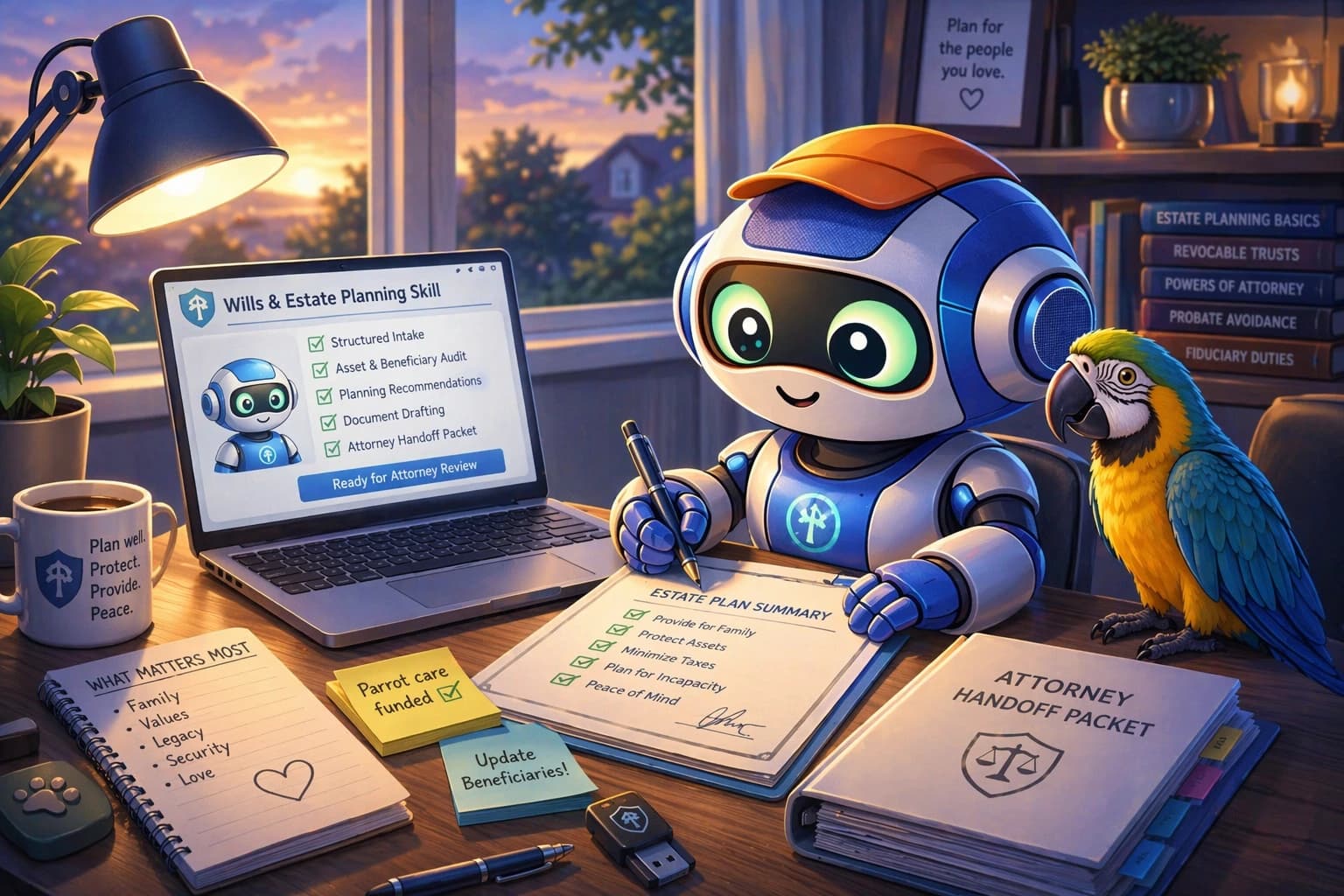
201 files · 17 subagents · 45 templates
Tier 1 renter → Tier 5 industrialist
Works at $500K or $500M
For readers who want to try before subscribing
Download the operator primer as Markdown
agent-readable · paste into any fresh session
Paste this into Claude, Codex, or ChatGPT and the agent has enough to run a basic estate-planning intake, even without subscribing to the full skill.
A surprising number of the people I know will eventually die without a serious plan for what happens to their money, their house, their pets, their data, or their kids. Some will leave handwritten notes a grieving spouse cannot legally execute. Some will leave a will from 2011 that still names an ex. Some will leave nothing, and a county court will decide for them. This is not because they don't care. It's because estate planning is expensive, emotionally heavy, and the good lawyers who do it well charge five hundred dollars an hour for the parts that are basically asking you careful questions and writing down your answers.
Before I go further, a note for anyone who has not heard the word before: a skill can be thought of as a bundle of “how to” knowledge that is prepared for use by an AI agent such as Claude Code or OpenAI's Codex (yes, both names have “Code” in them; more on that in a moment). It combines reference materials, workflows, scripts, subagents, and so on, all in a way that is maximally agent-intuitive and agent-ergonomic and optimized for context efficiency (at least for a well-designed skill, which most are not). The agent loads the skill at the start of a session and then behaves like a prepared specialist for the rest of that conversation.
A quick reassurance before anyone decides this is not for them: you are the right reader for this even if you are not a programmer and have never opened a terminal. The desktop apps I recommend below (Claude Code and Codex Desktop) were originally built for software engineers, and the “Code” in those names is a legacy name; nothing you will do in them is code-specific. You chat in a text box, drop documents into a folder, and approve the occasional file read when the agent asks. You will never type a command. You will never see a black terminal window. If you can use Gmail and know how to open a folder on your computer, you can use this.
I recently posted a tax-preparation skill on my paid skills site, jeffreys-skills.md. At least five readers have since told me they saved more than a thousand dollars on their taxes using it. One saved twenty thousand. That is on a twenty-dollar-a-month subscription. It got me thinking about which other expensive-specialist problems look the same shape as tax prep, where the billable hours are mostly good questions, patient listening, and a disciplined checklist. One reply suggested writing a will, and I knew right away it was the right answer.
So I built it. This article is the long-form explanation of what the skill is, what you need to run it, and how a smart non-technical reader with three to six hours (across a couple of sittings, not a forced marathon) can walk away with an actual finished will that is incredibly thoughtful and well-informed and custom-tailored to their specific situation, along with the polished package an estate-planning attorney actually wants to receive if they choose to engage one.
The pitch
One weekend, roughly $120, instead of $3,000 to $20,000.
A full estate-plan consultation with a decent attorney runs from a few thousand dollars for a simple will up to somewhere between fifteen and twenty-five thousand dollars for a household with any real complexity (the calculator further down lets you dial in your own facts). Most of those hours are not the attorney drafting. They are the attorney walking you through tradeoffs, asking careful questions, explaining what each option actually means, and building the plan one decision at a time. The expensive part is the expertise, not the typing.
A good agent-plus-skill can do that same work for roughly the cost of a nice dinner, across a couple of sittings. The skill arms the model with an unbelievably rich framework and reference corpus, the same body of material a white-shoe firm's wills-and-trusts division draws on every day, so what you get out of the conversation is expert advice custom-tailored to your specific situation. You need four things:
One-month cost to run the whole process
| What | Price | Notes |
|---|---|---|
| Claude Max (5x tier) | $100/mo | Sign up at claude.ai → Settings → Upgrade. Runs Claude Code, which is where you do the initial deep work. Cancel after the month if you want. |
| GPT Pro | $100/mo | Sign up at chatgpt.com. Runs Codex, which is what you use to audit the package Claude produced. Highly recommended to subscribe to both. |
| jeffreys-skills.md | $20/mo | Pay with Stripe or PayPal. Install the wills-and-estate-planning skill from the dashboard. |
| Your attorney's review | $2-4k | Strictly optional. If you decide you want a licensed attorney to review and bless the result, the packet the skill produces makes that meeting dramatically shorter and cheaper than starting from scratch. |
The recommended setup is both. Do the initial deep work in Claude Code with Opus 4.7 at the maximum thinking-effort tier, then hand the resulting package to Codex with GPT-5.4 at the maximum reasoning-effort tier and ask it to audit what Claude produced. The two frontier models do not overlap perfectly; a gap one misses the other usually catches. About two hundred and twenty dollars for a month of both is the cheapest quality insurance you will buy this year, and you can cancel either next month. If budget is tight, Claude Max alone is enough to produce a real plan. You keep every document the skill produces forever.
Setting the top reasoning tier takes a moment in each desktop app. The controls live right in the message entry field. In Codex Desktop, click the Select reasoning effort control and set it to Extra High. In Claude Code, pick Opus 4.7 as the model and turn on Adaptive Thinking. These are the highest reasoning tiers each tool exposes as of 2026, and that is all it takes.
The other thing worth saying about a Claude Max or GPT Pro subscription: the wills skill is one of a growing library on the skills site. The same setup gives you access to a world-class tax consultation for US residents (see my post on that one), my modes-of-reasoning skill for pressure-testing any project, business plan, or serious decision you are working through (see this short post), and more than a hundred other skills across different specialist domains. The estate plan is one of several reasons the subscription pays for itself in the first month.
The basics
What is an AI agent, and what is a skill?
If you use AI products at all, you have probably chatted with Claude or ChatGPT on the web. Those models are very good, and they start from zero every time: fresh session, no memory, no idea whether you are asking about quantum physics or your divorce.
An agent is the same frontier model, but given a set of tools that let it actually do things on your local computer. It can read the files you point it at, edit them, save new files, run code, open a browser to check a source, and carry a long multi-sitting conversation forward without losing the thread. Same model, same reasoning; the difference is that it can act on your machine instead of just answering one-shot questions in a chat box.
A skill is a package of domain knowledge and workflow that sits alongside the agent and bootstraps it into being an expert at exactly one thing. You can think of it as hiring an apprentice lawyer who has already read a hundred estate-planning textbooks, knows the standard interview questions, and will not forget to ask you about the 401(k) beneficiary form. When you start a session, the skill quietly loads into the agent's context and says: “for the next few hours, you are an estate-planning intake specialist; here is exactly how to do that job.”
The division of labor matters. The frontier model is clever. The skill is disciplined. Your job is just to answer good questions honestly. The skill makes sure the agent asks the right ones, cross-checks the answers, catches contradictions, and produces a complete, signable document package at the quality level a top estate-planning firm would put its name on.
The whole complexity lives inside the skill. You do not have to understand revocable trusts, POAs, or the 2026 OBBBA exemption to use it. You have to know the names of your family members, roughly what you own, and where the important documents live. The skill handles the rest, and flags anything it is genuinely unsure about so you (or an attorney, if you choose to involve one) can verify before anything gets signed.
Loading visualization
Setup
What you need, in about twenty minutes.
Four things, in order. Each one takes two to five minutes. Twenty minutes total, and you only pay for things you are going to keep anyway.
1. A frontier-model subscription.
Go to claude.ai → Settings → Upgrade → Max 5x ($100/mo). Or chatgpt.com → Upgrade → Pro ($100/mo). Both work. The recommended setup is to subscribe to both and use Claude Code for the initial deep work plus Codex for the audit pass; if budget is tight, Claude Max alone is the cheaper starting point. Pay by card. Cancel next month. No long-term contract.
2. The desktop app (free).
For Claude, download Claude Code Desktop (Mac or Windows). For OpenAI, download Codex Desktop. Sign in with the same account from step 1. This is the app the agent lives in. It can open folders on your computer and read the documents you drop into them.
3. A jeffreys-skills.md account ($20/mo).
Go to jeffreys-skills.md → Sign up → pay with Stripe or PayPal. Same cancel-anytime rules. Same “you keep the documents” rules.
4. Install the skill.
From the jeffreys-skills.md dashboard, open the wills-and-estate-planning skill page (the install card only appears for paying subscribers; if you are not yet signed in with an active subscription from step 3, the page shows a public preview of the skill instead). Click Generate install prompt. Copy the block of text it gives you. Paste that block into your desktop app's chat box. Press enter. The agent reads it, asks you to approve one download, installs itself, and reloads. Ninety seconds.
Loading visualization
Why it works without a terminal
The agent is the terminal. You never type a command; you approve one. The install prompt the dashboard generates is tied to your paid account and expires after roughly ten minutes, so copying it to someone else's machine does not give them a reusable installer.
Comfortable in a terminal? You can install via the jsm CLI instead: jsm install wills-and-estate-planning-skill after jsm login. Same signed bundle, same outcome. Everyone else should stick with the desktop-app flow above.
Using the skill
Make a folder, put documents in it, start the conversation.
Once the skill is installed, the whole workflow is: one folder, one conversation, as many sittings as you need. The agent remembers what you told it between sessions because everything it writes lands in that folder.
1. Make a new folder on your computer.
Anywhere is fine. Your desktop, your Documents folder, wherever. Call it something you will recognize later. my-estate-plan is a reasonable default. This is where everything will live: your input documents, the drafts the skill produces, and the final packet (which you can execute yourself or hand to an attorney if you want one in the loop).
2. Drop every document that matters into the folder.
Messy is fine. The skill will organize it. The documents can be PDFs, Microsoft Word files, or even photos or scans of paper pages; the skill will read all of them. What you want in there: last year's tax return, a statement from each brokerage / 401(k) / IRA / bank account, current beneficiary designations on retirement accounts and life insurance, any existing will or trust (even if it is old or wrong), deeds, titles, and vehicle registrations, your passport for identity reference, and a short list of the bank and crypto accounts you have. Do not put your crypto seed phrase itself in the folder; a pointer to where it is stored is enough.
3. Open the folder in Claude Code or Codex Desktop.
Launch the desktop app. File → Open Folder → pick the folder you just made. The agent is now pointed at it and can read any document you drop in.
4. Start the conversation.
In the chat box, type: “please use the wills-and-estate-planning skill to help me draft an estate plan” and press enter. The skill loads. The agent asks its first question. Answer honestly.
5. Answer its questions.
It will ask about the people in your life, what you own, what you owe, who is currently named on each beneficiary form, what you actually want to happen, and what keeps you up at night. Take breaks whenever you need to; close the app and come back tomorrow if you want. The agent remembers the state of the conversation because the files it is writing are all in your folder.
Loading visualization
What a session actually feels like
Two composite exchanges (invented details, real question pattern) that show the rhythm: the agent asks a specific question, you answer honestly, and it flags the landmine you would not have known to look for.
Exchange 1 · the stale beneficiary form
Agent: When did you last update the beneficiary forms on your retirement accounts?
You: When I started the job, so... 2009? I think I put my ex-wife down on the IRA. That was before I met Sam.
Agent: That is a landmine. Beneficiary forms override your will for retirement accounts, and whoever is named on the form at the time of your death is who gets the money. For the IRA, it is whatever the form says, full stop. The 401(k) has some federal-law protection for your current spouse by default, but the details depend on whether Sam ever signed a spousal consent. Every retirement form needs to be re-verified; we are flagging this as a first-action item so it gets fixed before you sign anything (and if you do decide to loop in an attorney, it is already at the top of the Attorney Engagement Brief).
Exchange 2 · the blended-family default
Agent: Walk me through your current marriage and the kids from your first marriage. How do you picture it all working together?
You: I'd leave everything to my wife and trust her to take care of my two kids from my first marriage.
Agent: That is the most common blended-family pattern, and the most common one to go sideways. If you leave everything to her outright, she can later rewrite her own will and leave it all to her daughter from her first marriage; your kids end up with nothing and have very limited recourse. The usual structure that fixes this is a QTIP trust: your wife gets the income from the assets for her whole life; whatever remains at her death goes to your kids, not to whoever she names in her own will. Should we draft that structure into the plan, or did you want something different?
Getting the most out of it
A few things that actually matter.
Short list. These are the tips that separate a good first pass from a great final package.
- Run the skill at least twice. Treat the first session as the rough draft. Start a second session in the same folder a day later and say “audit the estate-planning packet you produced last time.” The skill will review its own work, catch missing facts, and flag weak spots. Almost everyone finds something important on the second pass.
- If you have both Claude Max and GPT Pro, use both. Open the folder in Claude Code, run through the skill there. Then open the same folder in Codex Desktop and run it again. The two frontier models do not overlap perfectly: Claude often surfaces family-dynamics and emotional-coordination issues earlier; GPT often surfaces cold tax and structural issues earlier. Compare the two packets. Merge the best of each.
- When it asks something you don't know, say so. “I don't know” and “I need to check with my spouse” and “I need to look that up” are good answers. The skill will explain the question, tell you why it matters, and re-ask once you have the information. Pretending to be certain when you are not is how mistakes get baked into estate plans.
- It is fine to not have every document ready. When the skill asks for something you cannot put your hands on in the next ten minutes, tell it “I don't have that right now.” The session continues. When you find the document a day later, drop it into the folder, open a new sitting, and say something like “I found the 401(k) statement; please re-check whatever you flagged about beneficiaries.” Nothing is blocked by a single missing document; the skill notes what is still unanswered and will revisit it when you come back.
- Save the final packet in your folder. It is yours. If you decide to engage an attorney, email them the Attorney Engagement Brief plus whichever supporting documents they ask for. Either way, keep the folder itself backed up somewhere sane, the same way you would keep your tax returns.
What you get
What the skill actually does for you.
Four things the skill handles automatically, without your having to think about them or understand the mechanics.
1. It auto-adjusts to your complexity.
The skill scales from a twenty-six-year-old renter with a first 401(k) through to a hundred-million-dollar industrialist with four generations to plan for. Same interview; different depth. Tap a rung below to see which tier matches your facts. A blended family, a business stake, self-custodied crypto, or a second-state property bumps you a tier regardless of net worth.
Loading visualization
2. It catches the mistakes that wreck most plans.
Most estate-plan disasters are not exotic. They are a handful of patterns the skill runs every plan through before it hands you anything: the IRA that still names an ex-spouse, the trust that was drafted but never funded, the springing POA that does not trigger when you need it, the pet with a longer life expectancy than yours. Tap a card to see what actually goes wrong and which subagent catches it.
Loading visualization
3. You walk away with a real document package.
A serious session produces a structured project directory with roughly forty-five files, one per template the skill carries, organized so you, your spouse, or a future version of you (or an attorney, if you decide to involve one) can pick up where you left off. Intake files, analyses, draft documents, and an Attorney Engagement Brief structured to top-firm standards in case you want a human review.
Loading visualization
4. The math versus a cold-start attorney consult.
Attorney rates and timelines vary. The point is the order of magnitude. Slide the net-worth bar and toggle the complexity overlays to see a rough estimate of what an attorney would quote for a comparable cold-start consultation versus what this skill costs you in a month.
Loading visualization
The comparison is a rough guide, not a legal fee quote. Exact quotes vary by state, firm, and facts. The skill subscription is the real number. The attorney number is the rough order of magnitude you are skipping past by showing up already prepared.
The optional handoff
Using an attorney is strictly optional.
Estate-planning law is a moving target. The federal exemption changed in 2018, changed again in 2026 under the OBBBA, and will likely change again. State thresholds drift. Execution formalities vary across fifty jurisdictions. The skill separates the evergreen methodology it trusts in full from the volatile law it has to re-verify at session time; every live-law lookup is logged in official-source-log.md with source URL and date, so you can audit what the skill relied on (and hand that audit trail to an attorney too, if you bring one in) and your future self can see what needs rechecking.
The expertise itself lives in the skill. It brings the same framework, checklists, and reference material a white-shoe firm's wills-and-trusts division would apply to a client in your situation, and it works through that material carefully, case by case, against your specific facts. What you walk away with is a complete package: a finished will, the supporting documents, an Attorney Engagement Brief of about four pages for the case where you do want a second opinion, a set of Interview Questions ready for that meeting, a Handoff Readiness scorecard the skill runs on its own output before anything leaves your laptop, and a Document Package Index so nothing is lost. The skill does not itself sign, notarize, or file anything, and it does not form an attorney-client relationship; the execution formalities (witnesses, sometimes a notary) are on you or on whatever attorney you choose to engage.
Most readers find that a straightforward will produced by the skill stands on its own. Readers with genuinely complicated situations often still want a short attorney review, and the packet is designed to make that review a ninety-minute sign-off rather than a fifteen-thousand-dollar intake. Either way, the expert analysis is already done by the time you close the laptop.
FAQ
Questions you are about to ask.
Is this legal advice?
Not in the formal legal sense. The skill produces audit documents, a complete plan, and the full set of drafts. Using the skill does not create an attorney-client relationship with anyone, and the skill itself is not a law firm. If you want formal legal advice from a licensed professional, engage an attorney; if you choose not to, the documents are still yours to execute under your state's formalities.
Do I still need an attorney?
Not strictly. The skill produces a thorough, custom-tailored plan built on the same kind of analysis a white-shoe firm's wills-and-trusts division would apply, and for many readers that is enough. If your case has real complications (minor children, a blended family, a business, a special-needs beneficiary, unusual assets, or property across multiple states), having a licensed attorney review the packet is cheap insurance, and the packet is designed to make that review short. An attorney is recommended but not required.
Is my data private?
Your files stay on your computer. The agent reads documents you explicitly point it at; it does not upload them to any remote storage, and nothing the skill produces leaves your folder unless you choose to send it.
What does go to Anthropic or OpenAI is the conversation itself: your questions, the agent's responses, and whatever the agent quotes from your files while reasoning. On consumer subscriptions (Claude Max, GPT Pro), transcripts are retained per each provider's published policy. Training defaults and opt-outs differ between providers and change over time; Anthropic does not train on Claude Max/Pro conversations by default, while OpenAI's consumer plans have historically opted users in unless you turn training off in settings. Check your account's privacy settings before doing sensitive work. Both providers offer enterprise plans with zero-retention if you need stronger guarantees.
For most readers planning for themselves, this is a reasonable tradeoff: the same tradeoff you make every time you type something into ChatGPT or Claude. If you are a lawyer, doctor, or business owner planning around professionally-confidential material, talk to your attorney about whether your specific situation warrants an enterprise plan or a different tool. See the next question for the narrower but important topic of attorney-client privilege.
Does using an AI skill waive attorney-client privilege?
Short answer: AI chatbots are not attorneys, so conversations with them are not themselves privileged, and at least one recent New York case has held that discussing otherwise-privileged legal matters with a consumer-grade AI can forfeit the privilege you would have had in a conversation with a human lawyer on the same subject. The law here is new and under-developed, and I personally think it is outrageous that a human lawyer gets privilege on the same conversation an AI does not; that should change. Today, it has not.
For most readers using this skill to prepare a simple-to-moderate estate plan, this is a non-issue: you are not hiring a lawyer in the first place. The skill produces the plan; the output is your property; you execute the documents under your state's formalities. If you do loop in an attorney for the parts that only humans can do (deathbed witnessing, contested estates, certain international filings), the packet is designed to make that short.
If you are a high-net-worth or ultra-high-net-worth testator and you think your estate might be contested, take this seriously. The skill's intake architecture (detailed interview, intake record, decision ledger, letter of wishes) inadvertently builds exactly the kind of contemporaneous record a contest lawyer would love to see. The skill will, at the end of a session, offer to delete every intermediate work product from your working folder and clear the session history once you confirm you have saved the final document somewhere safe; those files are your property to destroy, and doing so is not spoliation of evidence since no litigation is pending. Your attorney may additionally want any further work to run under an enterprise plan with zero-retention or under their direct supervision so that the process is papered properly from the start.
For bedside or deathbed drafting of a high-stakes will, use a lawyer, not this skill. The drafting attorney is the single most important future witness to testator capacity, and that is not a role an agent can fill.
What if I'm not in the United States?
The skill is U.S.-only. It covers federal law plus all fifty states. If you are a U.S. citizen domiciled abroad with U.S. assets, it handles the cross-border overlay. If you are not U.S.-domiciled, this is not the right tool for you yet.
Will the skill work after tax law changes?
The skill separates evergreen methodology from volatile law. Every federal threshold, state exemption, and execution formality is verified against primary sources at the time of use and logged in official-source-log.md. When the 2026 OBBBA rules change, the skill picks up the new numbers. Old plans carry their own verification trail so you can see exactly what needs re-checking.
Why a subscription instead of a one-time purchase?
Because the thing you are paying for (the living, verified set of axioms plus the reference corpus plus the subagents plus the updates when the law changes) is not a one-time thing. A static PDF of estate-planning templates from three years ago is a trap, not a service. Cancel anytime. The artifacts you have produced stay on your computer after you cancel.
What if I only need a simple will?
If you rent, have no dependents, and the sum of your worldly possessions is a car and a laptop, LegalZoom or Trust & Will are probably fine for you. The skill starts earning its keep once coordination across more than one document matters: a blended family, a business, a second state, a concentrated stock position, a child with special needs, enough savings to cross any state's estate-tax threshold.
Can I use this for my spouse too?
Yes. You can run the skill a second time in the same session, reusing the working folder, and ask it to generate the parallel set of documents for your spouse. Most household facts (assets, kids, state of residence) are identical, so the second pass is faster than the first.
The license covers your own household: you and your spouse, under one subscription. It does not cover sharing or redistributing the skill files to anyone else. The skill content is copyrighted and licensed for personal use the same way a piece of software is, so please do not post, resell, or hand the files to a friend. If a friend wants to use it, point them at the skills site.
What happens when I cancel?
You keep everything you have already produced. Your files are yours. You lose access to future updates, new versions of the skill, and re-downloads on a new computer. If you cancel mid-planning, you can finish with the files you already have locally.
Does it work on my phone?
Not today. Claude Code Desktop and Codex Desktop run on Mac or Windows. There is no mobile app. You need a computer.
Can I share what the skill produced with an attorney?
Yes. The Attorney Engagement Brief is designed precisely for that handoff if you decide to engage one. Most attorneys who have seen the output say some version of “thank god, I usually spend my whole first meeting just digging this information out of clients.”
What if I start, then lose interest?
Your partial intake-record.md persists. You can pick up a week, three months, or a year later. The skill has a maintenance-review mode for periodic refresh after life events.
My crypto is self-custodied. You're not asking me for my seed phrase, right?
Correct. The skill never asks for your seed phrase. The digital inventory template has an explicit field that says “pointer to where the seed phrase is stored; do NOT write the seed phrase itself here.” If you accidentally put it in, the skill flags it and asks you to move it out before continuing.
How long does this actually take?
A full first pass is three to six hours, usually spread across a weekend rather than done in a single sitting. Updates after life events take thirty to sixty minutes. The first time is the slow one; everything after is fast.
I've never paid for something like this before. What if I hate it?
Email the support address in your account settings. Jeffrey reads those emails himself and there is a cheerful refund policy. You should not be stuck paying for something that did not give you value.
A pattern, not a product.
Estate planning is one of a handful of expensive-by-default life admin domains where the professional is plentiful and well-trained, and most of the hours they bill for are actually just asking you careful questions and writing your answers down. Tax preparation is another. Medicare plan selection. Social Security claiming strategy. College financial aid. Divorce financial planning. Medical bill auditing. Long-term-care insurance. In every one of these, you pay an expert for a long initial intake before they can do the part only they can do.
That shape of problem is exactly what an agent-plus-skill can compress and, in many cases, fully replace. Frontier models in 2026 are that good. Agent harnesses are that capable. Marry them with a skill that is comprehensive, correct, well-conceived, and deliberately optimized for agent use, and the combination can replace the specialist outright across a surprising range of situations, at a quality level that holds up against what a top firm would produce.
The caveat is the skill. A generic chatbot with a vague prompt does not produce this result. The skill is where the expertise is encoded: the frameworks a top firm uses internally, the checklists, the decision trees, the edge cases, the ugly special situations, the questions that actually matter, the references that ground the reasoning. Get that part right, and the frontier model plus agent harness does the rest. Get it wrong, and what you get back is shallow, generic, and not worth trusting.
This is the shape of a lot of what is coming. The older view was that AI assists the professional. What is actually happening, for a broad category of professional work that is mostly careful intake, pattern-matching, and disciplined drafting, is that AI running the right skill replaces the professional entirely. For the cases where a licensed human still has to sign something personally, you hand them a finished, audited packet. For the many cases where no signature is legally required, you skip that step and keep the money.
If you want the other concrete proof point, the tax-preparation article is the first place this pattern became obvious to me. Estate planning is the second. If you have a frontier-model subscription already, the only real barrier to trying this one yourself is the twenty minutes of setup above.
TL;DR
One skill. One weekend. Roughly $120. Attorney optional. Your spouse can find the 401(k) beneficiary form. Your parrot is provided for.