AI Agents · Infrastructure · Cost

Using AI Agents
to Migrate Off Slack.

Two paired skills. One focused weekend. 86–99% lower ongoing cost depending on headcount and plan, and your whole chat history on hardware you own.

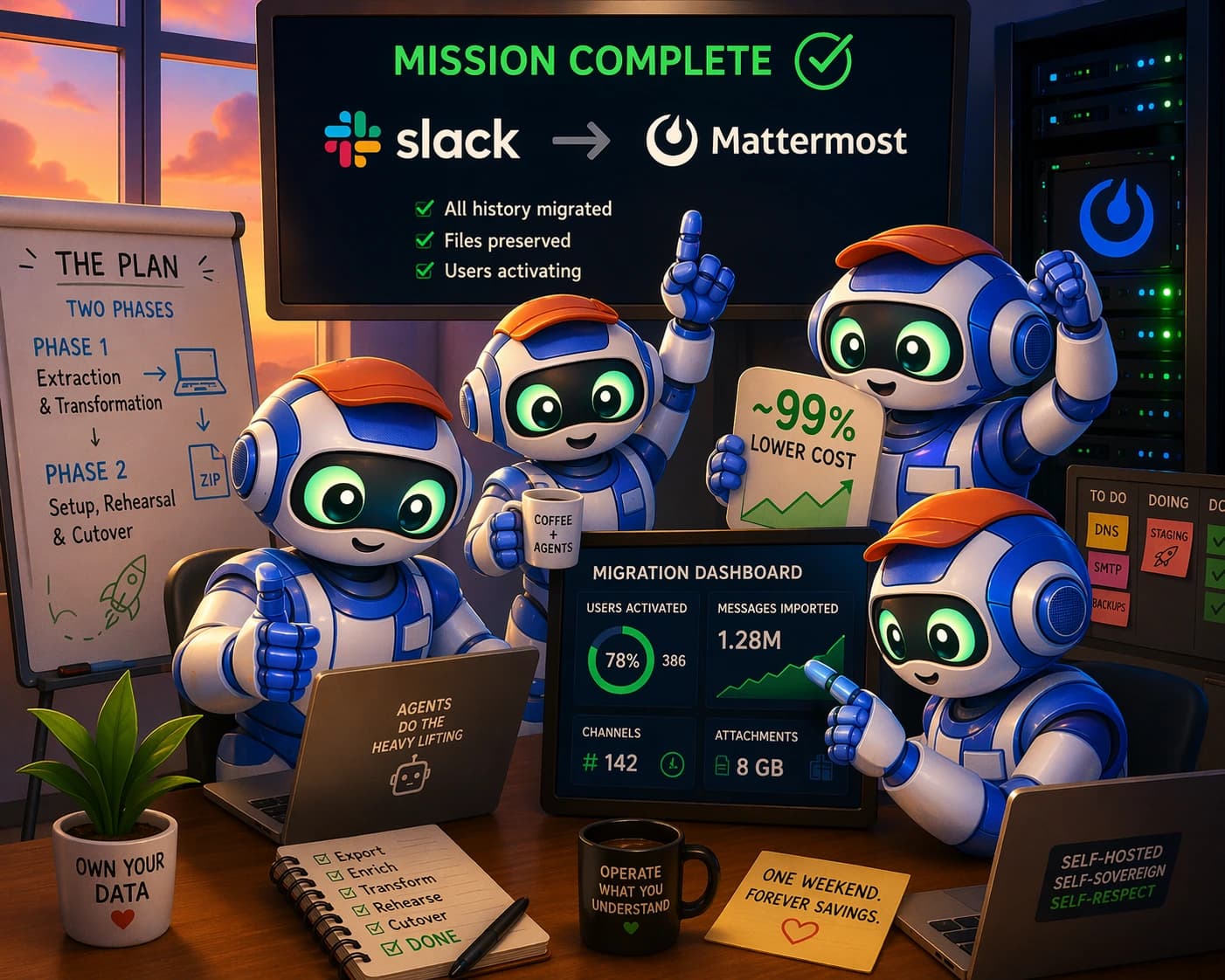
Illustration depicting a migration from a Slack-style chat workspace to a self-hosted Mattermost server, driven by an AI agent pair
Slack → Mattermost
Public · private · DMs · threads
Agent-driven cutover

For operators who want to run this

Download the operator primer as Markdown

agent-readable handoff · pairs with the three skills

.md

The agent-readable companion to the three skills. Paste the path into Claude Code or Codex and the agent has everything it needs to drive the migration.

Every few months now, some founder posts a screenshot of Slack’s latest renewal quote and it goes viral. This week’s example is a tweet from Alex Cohen, who runs a 40-person company. Slack’s renewal desk quoted him twenty-one thousand dollars a year to move onto the Business+ tier, up from about six thousand a year on Pro, because a customer contract now requires him to sign a BAA. Same software, same workspace, three-and-a-half times the bill. It’s the kind of quote that makes you read it twice and then go check when your own renewal is up.

That kind of quote is basically the moment every growing company decides it’s done with Slack. Not because the product is bad (Slack is a pretty polished piece of software), but because the pricing is designed to make the decision for you, and the thing you get back when you cancel is a pile of JSON files with dead links to your own attachments. You never really owned your history. You were renting it, on a meter that only goes up.

Until very recently, the reason most companies didn’t actually go through with migrating off was that the migration itself was a real project. Someone had to write a script, chase file links before they expired, rebuild per-channel membership lists, reconcile message counts, stand up a Postgres database, configure Nginx with the right WebSocket upgrade block, and get SMTP working well enough that password-reset emails would actually land in people’s inboxes. Then keep all of that running, every week, forever.

What changed is that coding agents got good enough to do the whole project themselves. and can run every one of those steps in the background while you drink your coffee. You don’t write bash scripts or SSH into servers. You read a handful of short reports, click Approve on twenty or thirty permission prompts spread out over a week, and paste a short English sentence whenever the agent is ready to move on to the next stage.

The actual migration isn’t a fragile custom script. It’s a pair of (one for extraction, one for setup and import), each of which is a directory of prompts, references, and scripts that the agent loads into its context and then drives on your behalf. Those two skills, plus a third that handles the ongoing maintenance, are what the rest of this piece walks through: how they decompose the problem, how the agent actually drives them, and every operational detail you’ll want in front of you on cutover day.

The thing that actually got me interested in writing this up, by the way, isn’t Slack specifically. It’s the broader shape of problems like Slack: expensive enterprise software whose moat is mostly the difficulty of migrating off. Jira is one of these. Splunk is one of these. The pattern is always the same: your vendor quietly raises the price every year, you shop around, you find something plausible and open-source, you sit down and think about how much of a project it would actually be to move your data over, and you just stay and pay. Two well-designed agent skills break that pattern. The rest of this article is the Slack case in full operational detail; the pattern itself generalizes to other corners of enterprise software, and I’ll come back to it at the end.

Skill catalog pages · open in a new tab

Heads up: those three URLs return a 404 unless you are signed in to a jeffreys-skills.md account with an active subscription. If you hit a 404, sign up (or log in) at jeffreys-skills.md/dashboard first and reload. It’s the same account the jsm CLI authenticates against below, so doing this step first means jsm install will already know who you are.

What shipped in the latest release · April 2026

v2Phase 1 · extraction

7-stage migrate.sh with a plan-tier router that picks official-export-primary (Business+ / Enterprise Grid), slackdump-primary (Pro / Free), or Grid split automatically. Four non-negotiable validators run before the bundle is declared import-ready: artifact hash + layout, JSONL ordering + linkage, enrichment completeness, and raw-vs-enriched-vs-JSONL count reconciliation. The machine-readable Phase 1 → Phase 2 contract ships four files: handoff.json, verification.md, unresolved-gaps.md, evidence-pack.json. 21 scripts and 6 focused subagents (acquisition-auditor, gap-hunter, token-exposure-redteam, compliance-approval-auditor, slack-plan-tier-router, reconciliation-analyst) each emit a verdict of ready, blocked, or needs-review.

v2Phase 2 · setup & import

Eight operate.sh stages (intake through live). Opinionated stack: Ubuntu + PostgreSQL 16 (Supabase pooler or self-hosted) + Cloudflare R2 for files + Cloudflare Tunnel for origin + Nginx with the WebSocket upgrade block wired so realtime works on first try. Staging rehearsal is mandatory; the full cutover runs against staging first, with smoke tests and an e2e pass, before anyone touches production. Seven explicit Go/No-Go gates with a named rollback owner sit between the rehearsal and the DNS flip: intake-valid, infra-provisioned, stack-deployed, import-reconciled, staging-passed, war-room-GO, cutover-complete. One red gate stops the pipeline. No improvising at 11 pm on cutover night.

v3Phase 3 · ongoing maintenance

Eight maintain.sh stages that turn maintenance into code instead of tribal knowledge: health, update-os, update-mattermost, db-backup, restore-drill, rotate-credentials, incident, disaster-recovery. The quarterly restore drill is a gate, not a suggestion: update-mattermost refuses to run if the last successful drill is older than 90 days, on the grounds that a backup you have never restored from is not a backup. Credential rotation cadences are code, not tribal knowledge: Mattermost PAT on a 90-day wall clock, mmuser Postgres password on 180 days, SSH keys and rclone tokens annually. The rotation-audit JSON is the source of truth. Seven subagents (health-drift-auditor, backup-integrity-auditor, version-drift-auditor, db-bloat-auditor, security-posture-auditor, incident-coordinator, maintenance-scheduler) deliver deep second opinions on demand.

Each skill page linked above has the full changelog, a live visualization of the flow, and the verbatim SKILL.md the agent loads into its context.

Install

Get the skills onto your laptop.

Two recommended ways to install the three skills, depending on how you like your tooling. The jsm path is what most operators use: it verifies hashes on download, tracks installed versions locally, and handles upgrades and multi-machine sync for you.

Recommended: via jsm (Jeffrey’s Skills.md)

# macOS / Linux
curl -fsSL https://jeffreys-skills.md/install.sh | bash
# Windows (PowerShell as Admin)
irm https://jeffreys-skills.md/install.ps1 | iex

jsm setup                        # first-time wizard: config + skill dirs
jsm login                        # browser → sign in with Google
jsm install slack-migration-to-mattermost-phase-1-extraction
jsm install slack-migration-to-mattermost-phase-2-setup-and-import
jsm install slack-migration-to-mattermost-phase-3-ongoing-maintenance

Alternative: via claude plugins

claude plugins install slack-migration-to-mattermost-phase-1-extraction
claude plugins install slack-migration-to-mattermost-phase-2-setup-and-import
claude plugins install slack-migration-to-mattermost-phase-3-ongoing-maintenance

Restart the Claude Code or Codex desktop app (or CLI session) and the skills show up in the skill picker. On first use each skill runs its own bootstrap-tools.sh, which installs the underlying CLIs it needs (slackdump, mmetl, mmctl, jq, psql, etc.) via Homebrew on macOS, apt on Ubuntu / Debian / WSL, and a Chocolatey checklist on Windows. If you want the agent to drive your browser and the Mattermost admin UI directly, the skill’s setup-mcp.sh wires up the Slack, Playwright, and Mattermost servers for whichever agent CLIs you have. You do not run any of that by hand.

Then the interface is English

Once the skills are installed, you open Claude Code or Codex and say something like:

“Use the slack-migration-to-mattermost-phase-1-extraction skill to run the setup stage against my Slack workspace.”

The agent reads the skill, executes the stage, writes a report, and waits for your next sentence. Every destructive step prompts for approval. Everything else is the agent doing the thing the skill already knows how to do. The rest of this piece is mostly here so you know what the visualizations are showing and why the gates are where they are; the operational detail lives in the skills themselves, and the agent is the one who has to read it.

Part 0 · Why bother

Why bother with any of this?

Honest answer: to save a lot of money without losing your history. Alex Cohen’s tweet is just one data point. The pattern underneath it is universal: Slack’s Pro plan keeps you hooked with decent features, and when you grow past the point where Pro’s limits hurt, or need a BAA, or need to export private channels, or want SSO, or just want a saner admin, the vendor hands you a quote that makes your eyes water.

Self-hosting Mattermost for the same 40-person workspace comes out to roughly $71/month for the whole stack. Against Alex’s $21,000/year Slack Business+ quote, that’s a 96% cost reduction, about $20,150 saved per year. Against the $6,000/year Slack Pro bill he was already paying, it’s still an 86% cost reduction, about $5,150 saved per year. Both include compliance features Slack would charge extra for: you own the server, so you can sign your own , configure retention your own way, and audit the data at the byte level.

At 1,000 users, the numbers get even less forgiving for Slack. Business+ at $12.50/user/month is $150,000/year. The same AX52 + Cloudflare + Postmark + R2 stack serves 1,000 users for about $90/month, or $1,080/year. A 99.3% cost reduction, roughly $149,000 saved annually, and the data sits on hardware you own and can put in any jurisdiction you want.

What this article does not try to convince you of: that Mattermost is more polished than Slack for every end-user scenario. Slack has spent a decade on UX details Mattermost is still catching up on (huddles have no drop-in equivalent; some channel-management ergonomics are less clicky). If you’re 5 people and pay $0/month on Slack’s Free tier and love it, this whole exercise is a waste of time. The migration pays off when your Slack bill is a real line item and the vendor’s next price-hike email is about to hit your inbox.

Before you start

Which path through this guide is for you?

There are three supported paths. Pick one now and stay with it; they produce the exact same result, and the only difference is how the skills get onto your machine and how you drive the agent.

1

What Slack plan are you on?

Free or Pro
Track B · slackdump-primary
Expect public channels plus the private channels and DMs your authenticated account is a member of. Other people’s DMs are invisible.
Business+
Track A · official admin export
Full workspace content, including private channels and every user’s DMs.
Enterprise Grid
Track C · grid split
Either grid-wide export plus a per-workspace split, or per-workspace exports.
2

Where will Mattermost live?

Hetzner AX42/AX52 dedicated
recommended
AX42 comfortably serves ~250 users; AX52 handles 1,000.
OVH Advance / Contabo VPS
cheaper
Same sizing table, different vendor. Lower cost, slightly less headroom.
Existing infra you run
BYO host
Supply the SSH target as TARGET_HOST; the skill provisions on top of whatever Ubuntu box you point it at.
3

How do you want to drive the agent?

Click, don’t type
Path A · Desktop app
Claude Code or Codex desktop app plus jsm.
Terminal-native
Path B · CLI only
Leanest install. Claude Code or Codex CLI, skills symlinked or jsm-installed.
Multi-machine
Path C · CLI + jsm sync
Cross-device skill sync via jsm sync. Right when two different laptops drive the same migration at different stages.
4

Where is your Mattermost database going to live?

Same box as Mattermost
default
POSTGRES_DSN=postgres://…@localhost:5432. Skill provisions local PostgreSQL for you.
Supabase (managed)
managed PG
Supabase session pooler on 5432. Not the transaction pooler on 6543 — the import job needs session state.
Your own managed PG
BYO DB
Provide the DSN; the skill is hands-off on provisioning and only reads/writes to what you hand it.

If any branch surprises you, read its linked section before continuing. The skills themselves detect which path the operator is on and route accordingly; the Slack plan tier alone changes validators downstream.

The math

The money math.

Start with the arithmetic, because everything else follows from it. Slack's list prices are $7.25/user/month for Pro and $12.50/user/month for Business+. A thousand-person company is paying somewhere between ninety and a hundred and fifty thousand dollars a year just to have a chat window. A forty-person company is paying between thirty-five hundred and six thousand, modest in absolute terms, but a reliable target for the next .

Self-hosted Mattermost is not close in price. A single AX42 with NVMe and 64 GB of RAM serves a couple hundred users for roughly fifty dollars a month. An AX52 handles a thousand. Add Cloudflare's free plan in front, Postmark for password-reset emails, a little R2 for files, and an off-site backup target, and the total bill for a 340-person company rounds to $90/month. At 1,000 users it is still under $100/month, against Slack's six-figure ARR.

Run the slider below. The absolute savings are large, but the more interesting thing is how the curve shape changes with scale. Slack compounds linearly with headcount. The Mattermost bill barely moves until you need a second box.

Loading visualization

The two-phase pipeline

Phase 1 → handoff → Phase 2.

Both skills expose an ordered list of stages. You don’t typically run them all at once. Most operators step through stage by stage and read the reports between each, because the reports are where the decisions live: what was exported, what’s on disk, whether reconciliation counts line up, whether the staging rehearsal passed. Tap any node or edge below to see what it actually does.

Loading visualization
§3.8 · zoom out

What Phase 1 actually ships: 21 scripts, 6 subagents, 4 validators

The seven migrate.sh stages above are the interface. Underneath, Phase 1 is a 112-file skill with 21 scripts, 6 focused subagents, and four non-negotiable validators that run before the bundle is allowed to hand off to Phase 2.

Four non-negotiable validators

  • Artifact hash + layout. Every ZIP, CSV, and emoji asset lives in a quarantined tree under a SHA-256 manifest.
  • JSONL ordering + linkage. Strict object order (version, emoji, team, channel, user, post, direct_channel, direct_post); threads reference their parent before the parent is redefined.
  • Enrichment completeness. Attachment count against url_private count; email coverage vs users in the export.
  • Raw-vs-enriched-vs-JSONL count reconciliation. Three independent counts must agree or the bundle is refused.

Six focused subagents

  • acquisition-auditor, which proves the export actually represents the workspace.
  • gap-hunter, which finds features that did not migrate and classifies them.
  • token-exposure-redteam, which scans for leaked xoxp / xoxb / xoxc tokens in artifacts.
  • compliance-approval-auditor, which produces the legal-approval packet.
  • slack-plan-tier-router, which decides Track A vs Track B vs Track C automatically.
  • reconciliation-analyst, which reads raw / enriched / JSONL counts and explains any drift.

Each subagent emits a verdict of ready · blocked · needs-review.

The four-file handoff contract Phase 2 consumes (handoff.json, verification.md, unresolved-gaps.md, evidence-pack.json) is built exactly when every validator passes and every subagent verdict is accounted for. No tribal knowledge crosses the phase boundary; the import phase reads structured inputs, not a README and a prayer.

An asymmetric bet.

The most important property of this whole migration, and the reason it’s worth running even if you are a little skeptical: your real Slack keeps working the entire time. You never touch it until you have independently verified Mattermost is good.

You order a Hetzner server. The agent sets it up and imports your history into it. You run a full staging rehearsal on a throwaway copy. Slack is untouched.

You log into the new Mattermost yourself, click around, read your DMs, spot-check the big channels. Still untouched.

You optionally activate a few volunteers on Mattermost and let them use both in parallel for a few days. Slack is still source of truth.

Only when you are satisfied do you flip Slack to read-only and do the final cutover. Even then, Slack stays accessible as a read-only archive until you choose to downgrade or cancel.

If anything goes wrong at any point before cutover, you cancel the Hetzner server, delete the workdir on your laptop, and you are out the price of a few weeks of server rent and a month of Postmark. Your Slack workspace is unaffected, because the migration never wrote to it: Phase 1 only ever read from Slack; Phase 2 only ever wrote to the new server. There are no Slack credentials in Phase 2's config at all.

That is the . Downside is small and recoverable. Upside is tens of thousands of dollars a year, indefinitely.

What survives the move.

Every internal stakeholder will ask some variant of this (legal, HR, the people who ran Slackbot automations, the guy with four hundred saved items): “does my X survive?” There are four possible answers, and the skill classifies each Slack feature into exactly one of them. Native means it imports as first-class Mattermost data: public and private channel messages, DMs, threads, reactions, file attachments, pinned messages, channel topics, custom emoji images. means the content is preserved, but as posts in a dedicated archive channel rather than as native Mattermost objects. Canvases, lists, Workflow Builder JSON, and admin audit CSVs all end up this way. Partial only shows up on Pro: the content imports natively, but only the slice the export token’s account can see (its own private channels and DMs), and the remainder is named in the gaps list rather than pretended away. Unrecoverable means the content is not in Slack’s export at all and cannot be migrated; the best you can do is document it in , which the skill generates automatically, and plan a rebuild or an acceptance.

The matrix below lets you filter by disposition and toggle between Business+ and Pro plans. On Business+, most things are native. On Pro, private channels and DMs downgrade to partial because Slack's Free/Pro export cannot see content the export token's user is not a party to; you fall back to and inherit that blind spot. The honest way to handle it is to write the blind spot into unresolved-gaps.md in advance, not to pretend the export sees more than it does.

Loading visualization

The rule the skills enforce: known-unknowns named in advance are cheaper than unknown-unknowns discovered in production. Anything that doesn't survive as native, and can't be preserved as a sidecar, gets an entry with one of four classifications: native-importable, sidecar-only, manual-rebuild, or unrecoverable, so that when a user says at T+3 days “where are my saved items?”, you already have the answer written down and a rebuild plan.

The fail-closed gate.

Production cutover is the moment when every bad decision earlier in the pipeline stops being recoverable for free. The skill treats it that way: the ready stage is a fail-closed gate between everything and the production import.

cutover-readiness.json

The gate reads every prior report plus one environment variable, and emits status: “ready” or status: “blocked”. There is no middle state. If any of the inputs below is missing or stale, it blocks.

  • phase2-intake-report.json
  • config-validation.json
  • live-stack.md
  • latest-staging.json
  • latest-smoke.json
  • latest-reconciliation.json
  • latest-restore.json
  • ROLLBACK_OWNER

The point of fail-closed is that ambiguity at cutover is catastrophic. If you cannot produce evidence that staging passed, the gate assumes staging failed. If you cannot name the rollback owner, the gate assumes no one is empowered to pull the trigger. That framing is not paranoid; it is the same principle as a safety-critical interlock in any other engineering domain.

The skill also enforces a closely related rule, almost comically low-tech: the rollback owner must be a name and an email, populated into ROLLBACK_OWNER before the gate is allowed to pass. Not “whoever is on call.” Not a team alias. A specific human who has pre-committed to being the one who calls the abort. In practice this is usually the operator running the migration, or their CTO. The point is to remove ambiguity at the exact moment it would otherwise cost you.

§4.9 · zoom out

The seven Go/No-Go gates, not just the ready gate

The ready stage is one of seven explicit gates Phase 2 walks through between the Phase 1 handoff bundle and users typing into production. Every gate has a written-down pass criterion before the migration starts, and every gate can block the next one. One red gate stops the pipeline. No improvising at 11 pm on cutover night.

#GatePasses when
1intake-validPhase 1 bundle checksum-verified, row counts reconciled against handoff.json, secret-scan clean, ROLLBACK_OWNER named.
2infra-provisionedUbuntu host, PostgreSQL 16 (Supabase pooler or self-hosted), Cloudflare R2 bucket, Cloudflare Tunnel, Nginx all reachable; doctor.sh green.
3stack-deployedMattermost serving /api/v4/system/ping; WebSocket upgrade block live; TLS terminating at the edge; SMTP sends a test email.
4import-reconciledmmctl bulk-import completed; reconciliation report matches the handoff manifest for users / channels / posts / DMs.
5staging-passedFull cutover rehearsed against a throwaway staging VPS first; smoke tests + e2e pass captured in latest-staging.json.
6war-room-GONamed rollback owner acknowledges; status-page update drafted; 60-second TTL on the DNS record already set; comms kit paged.
7cutover-completeDNS flipped; cutover-status.*.json records status: success; reconciliation second-pass green; activation announcement sent.

Writing the gates down isn’t bureaucracy; it removes the 11-pm-on-cutover-night temptation to improvise. Every gate is a place the skill will cheerfully stop, file a blocked-reason, and let the operator fix the input rather than guess at what “good enough” looks like.

§4.13

Cutover day, minute by minute.

The moment non-technical operators worry about most is when the old and new systems switch. That moment is the most orchestrated, best-narrated part of the whole process, because the skill has been thinking about cutover since before it was written. Here is what it looks like on your screen.

At T minus sixty minutes, you paste a short sentence asking the agent to run ready one more time. The agent re-reads every report and emits a readiness score with each category graded green. At T minus fifteen, you flip Slack to read-only yourself, in a browser tab (this is a human-in-the-loop step on purpose) and post the freeze notice from the comms kit. At T equals zero, you paste: “Run Phase 2 stage cutover against production. Pause before any destructive step and explain it to me.”

The agent then asks for approval, one command at a time, in roughly this sequence: SSH sanity-check the service on the target, authenticate to Mattermost as admin, upload the bulk-import ZIP, list the uploaded filename, kick off the import job, tail the server log, count imported users, and confirm the ping endpoint still serves. Between upload and kickoff there is usually one last decision point; between kickoff and smoke-test there is fifteen to thirty minutes of the agent streaming JSON progress lines while you drink coffee.

Loading visualization

Three things to internalize about the stream above. First: every single approval is an Approve once click, not an “Approve for the rest of the session” click. The approvals are cheap and the alternative is risky. Second: the import is , which is the reason you can re-run cutover if the network flakes at seventy percent. Mattermost de-duplicates posts by Slack message ID; a second run catches what the first missed without double-posting anything. Third: if anything goes sideways after the import job completes, rollback is one command with a deliberately annoying confirmation phrase baked in: ROLLBACK_CONFIRMATION=I_UNDERSTAND_THIS_RESTORES_BACKUPS. The verbatim phrase is required on purpose; rollback restores the DB from the pre-cutover dump and is not a thing you want to kick off accidentally.

Thirty minutes after cutover, you open a browser tab, navigate to https://chat.acme.com/reset_password, enter your own Slack email, click the link that arrives, set a password, and log in. Your whole history is already there. That is the single highest-confidence check, and it takes ninety seconds.

Part 12 · ongoing maintenance

The week after, and every week after that.

Moving is not the part people are afraid of. Running the new server, forever, is. That is the fear Slack's pricing team is counting on. It is also the part the Phase 3 maintenance skill exists to automate.

Ongoing maintenance is a small list of tasks that would be irritating to do manually on a regular cadence but are exactly the shape of a job an agent does well: a nightly Postgres dump to off-site storage with a hash check; a weekly health probe of the live stack; an OS patch pass with a scheduled reboot; a quarterly restore drill where the newest backup is restored into a scratch database to prove it still restores. An unrestored backup is wishful thinking, not a backup. The drill is what keeps it from quietly decaying. Phase 3 wires all of it into a single that the agent runs Saturday night and summarizes into a one-paragraph Monday-morning status you skim in sixty seconds.

§12.2

The eight maintain.sh stages

Every Phase 3 operation is a named stage of maintain.sh. Each stage has an input contract, a named rollback owner, and emits a JSON artifact that the next stage reads. It’s the same fail-closed, evidence-first shape as Phase 1 and Phase 2, now operating on a one-week rather than one-weekend clock:

StageWhat it doesCadence
healthSingle-shot probe of uptime, queue depth, p99 latency, disk headroom, TLS expiry, and Postgres vacuum state. Emits the baseline every subsequent change is measured against.weekly
update-osStages unattended-upgrade, schedules the reboot inside REBOOT_WINDOW_* off-hours bounds, posts a status-page message, and refuses to reboot outside the window.monthly
update-mattermostFollows the ESR track, verifies DB schema compatibility, tests the new mmctl binary against the new server, and fails closed on plugin-breaking version skew. Auto-rollback on a 3-minute /api/v4/system/ping check.quarterly
db-backuppg_dump → hashed artifact → mirror to OFFSITE_REMOTE via rclone. Refuses to mark the backup complete until the uploaded SHA-256 matches the local dump.nightly
restore-drillSpins up a scratch database, restores the most recent backup end-to-end, compares row counts against the source. Gates update-mattermost: the upgrade refuses to run if the last successful drill is older than 90 days.quarterly (gate)
rotate-credentialsWalks the operator through each credential on its own wall clock. PAT 90 days, mmuser Postgres password 180 days, SSH keys yearly, rclone tokens yearly. The rotation-audit JSON is the source of truth.per-scope
incidentOpens a per-incident quarantine directory, snapshots process + network + disk state, kicks a status-page update, and links the playbook keyed to the symptom class (DB down, TLS expired, disk full, abuse). Post-mortem skeleton pre-populated.on demand
disaster-recoveryRestores the most recent offsite backup onto a fresh host and keeps the original machine offline as forensic evidence. Produces a runbook instead of a panic.on DR trigger

Of the eight stages, update-mattermost is the one most worth zooming into, because its is what turns Mattermost upgrades from a sweaty-palm activity into a background task:

update-mattermost, auto-rollback on failure

  1. doctor.sh confirms SSH + ping + PAT still work.
  2. pg_dump streams the current DB to /var/backups/mattermost/pre-upgrade-<ts>.sql.gz. SHA-256 captured.
  3. systemctl stop mattermost.
  4. apt-get install --allow-downgrades mattermost=<target_version>.
  5. systemctl start, then poll /api/v4/system/ping for up to 3 minutes.
  6. If the new version doesn’t come up: stop, downgrade the package, DROP / CREATE the database, stream the pre-upgrade dump back in, start. Record status: failed_rolled_back.

Blast radius on failure: 2 to 6 minutes of Mattermost being offline. Data loss: zero. That loop is what lets a solo operator run production upgrades without a pager rotation.

Pair the auto-rollback loop with the quarterly restore drill and you have a backup pipeline that is actually tested, not one that will let you down the exact day the host dies. That is the whole point of running your own chat server. You own the schema, the hardware, the upgrade path, and the knowledge that the loops you depend on have been exercised on a scratch database recently enough to be trusted.

The remaining stages, subagents, prompts library, scenario packs, weekly-cadence runbook, disaster-recovery drill, credential-rotation cadence, and “when to bring in more tooling” playbook all live inside the Phase 3 skill. See the skill page at the top of the article for the full catalog.

A pattern, not a migration.

Zooming out, the interesting thing here isn’t about chat software. It’s about the shape of problems that get dramatically cheaper to solve when a coding agent is driving a well-written skill.

A decade ago, a company that wanted to move off Slack had three options. Hire a consultant for a six-figure fixed bid. Assign an internal engineer and lose them for a month. Or stay on Slack, grumble every April, and pay the price hike. The middle option, “assign an engineer,” was the right one for a lot of companies, but it wasn’t cheap, and every time a new platform came out the institutional knowledge from the previous migration was gone.

The agent-plus-skill pattern collapses the expense side of that decision. The senior engineer writes the skill once, against the problem as it exists today, and every subsequent user inherits the whole thing, including the edge cases that cost the first engineer two weekends to discover. The skill is version-controlled, signed, installable in a minute, and pinnable to a known-good release for a production run. It doesn’t decay the way a custom pipeline does. It behaves more like infrastructure, published like a library, that any company with a Claude Code or Codex subscription can run against their own Slack.

The pattern generalizes beyond Slack, of course. One-off infrastructure migrations (databases between providers, DNS between registrars, CI systems between vendors, Jira to an open-source tracker, Splunk to OpenSearch) are exactly the shape of problem that fits into a paired-skill architecture. Each has a sensitive extract step, a transform, a staging rehearsal, a fail-closed gate, and a cutover that needs to be by construction. Each is worth doing at most once per company, and the institutional knowledge is worth retaining forever. Each is a project a senior engineer would resent being assigned. Each is a thing an agent-driven skill, well-designed, can do in a weekend.

If you’re still paying Slack today, at some point in the next eighteen months the vendor will email you a new number, and it will be larger than the current one by some multiple that is too painful to ignore. When it happens, you have two options. You can pay. Or you can open a new Claude Code session, paste one sentence, and be somewhere better by the end of the weekend.

TL;DR

Two agent skills. One weekend. 86–99% lower ongoing cost depending on headcount and plan. Slack keeps working until you flip the switch yourself.